Sales systems
PI2 Partner Readiness
Introduction
The PI2 Product
The PI2 Workshops
Pricing and Packaging
Sales systems
The PI2 Upgrade
Conclusion, next steps, and resources
PI2 Business Accounts
This lesson was last updated on October 1st, 2025.
In this lesson, you will learn:
- How to use your PI2 Business Account for prospecting, demos, and workshops.
- How to prepare your Legacy Business account in order for it to be upgraded to a PI2 Business Account.
Overview: From Legacy to PI2
Partners have historically used multiple accounts (Business, Demo, and Free Trial) on the Legacy platform to sell and use PI. PI2 simplifies this by consolidating the functionality into a single PI2 Business Account.
Until your Legacy Business account is upgraded, you will have access to both your Legacy Business Account and your Pre-upgrade PI2 Business Account. When the Business Account upgrade is complete, these accounts will be merged into one fully functioning, upgraded PI2 Business Account.
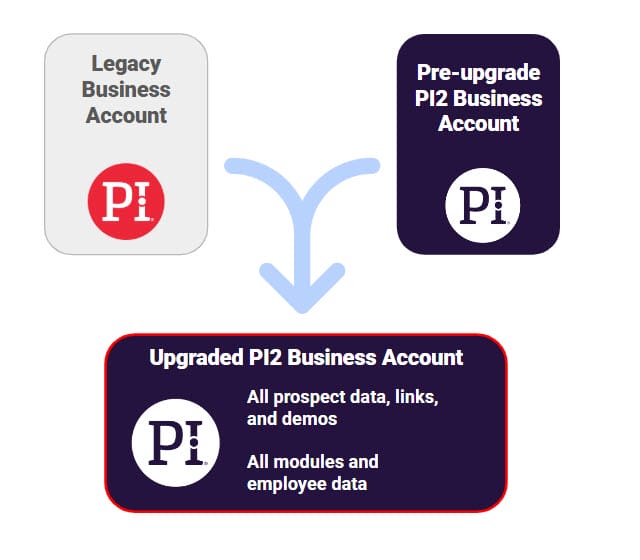
Purpose of the Pre-upgrade PI2 Business Account
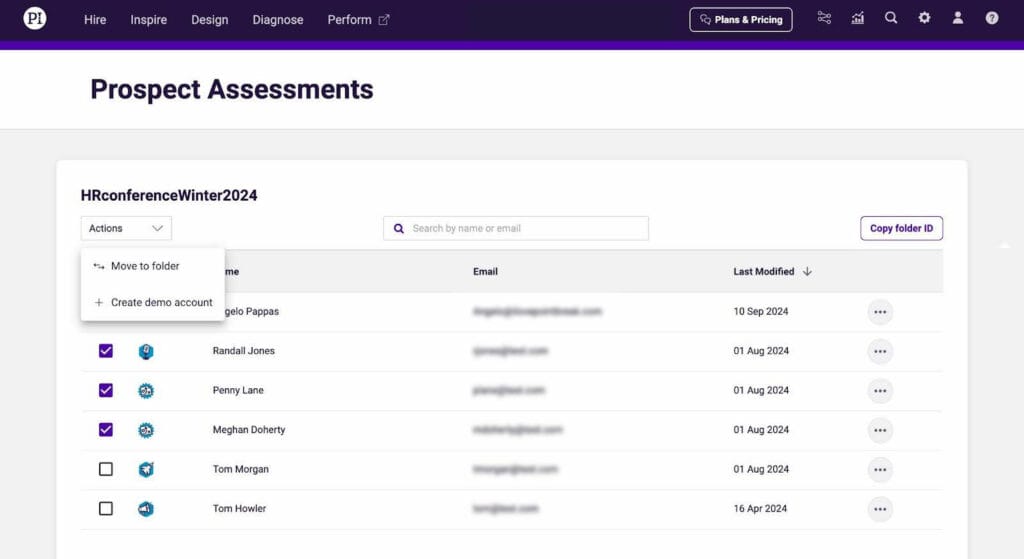
Until your business account upgrade is complete, your Pre-upgrade PI2 Business Account should only be used for the following two purposes:
- Collect and manage prospect Behavioral Assessments using PI Seller Tools
- Create PI2 Demo and Workshop Accounts using PI Seller Tools
Important Usage Guidelines:
- Do not use your Pre-upgrade PI2 Business Account to directly demo the modules. Always demo from a PI2 Demo Account that contains only the data relevant to the prospect opportunity.
- Do not use the modules in a Pre-upgrade PI2 Business Account, as they lack full functionality and are not designed for training or self-education. Once your Business Account Upgrade has occurred you will be able to begin using your PI2 Business Account for these purposes.
- It is not possible to send a live cognitive assessment to a prospect from PI2 Business Accounts or PI2 Demo Accounts. PI reserves this valuable proprietary assessment for hiring uses only. Prospects can view sample questions for the cognitive assessment by visiting https://cogsample.predictiveindex.com/
Accessing your Pre-upgrade PI2 Business Account
To access your Pre-upgrade PI2 Business Account:
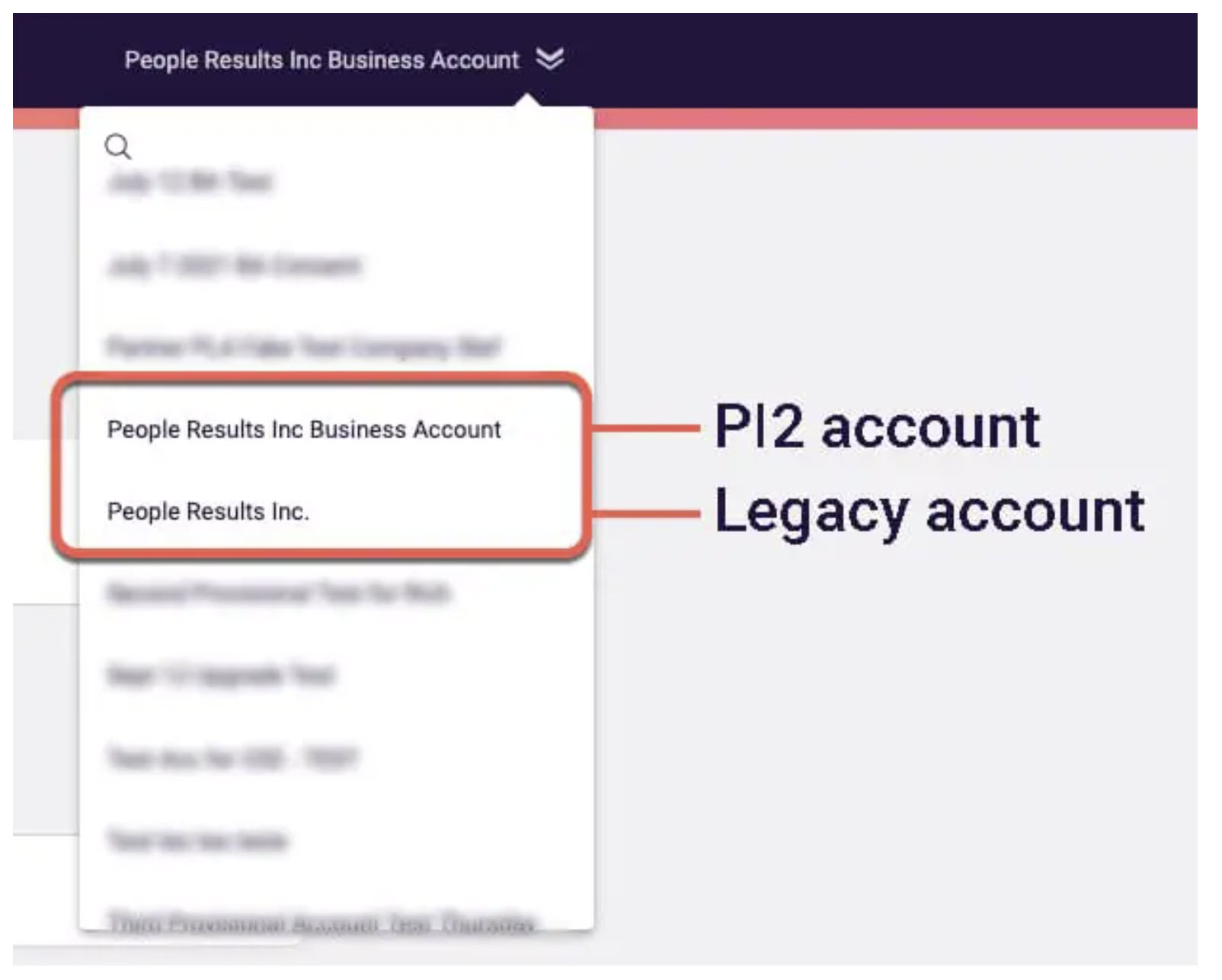
- Log into your Legacy Business Account
- Navigate to the account dropdown
- Select the PI2 account labeled: [PARTNER NAME BUSINESS ACCOUNT]
- Your Legacy account is labeled: [PARTNER NAME]
Using PI Seller Tools in Pre-upgrade PI2 Business Accounts
As mentioned previously, Pre-upgrade PI2 Business Accounts only have two purposes, both of which are accomplished using PI Seller Tools. 
- Collect and manage prospect Behavioral Assessments
- Create PI2 Demo and Workshop Accounts
The video below demonstrates how to use PI Seller Tools. Specifically, you will learn how to:
- Set up invitation links to collect Behavioral Assessments from prospects
- Create and access a PI2 Demo Account
- Organize prospect data into folders and transfer to newly sold client accounts
To showcase the PI2 product to a prospect, you must create a PI2 Demo Account using PI Seller Tools. These accounts can compare a prospect’s BA results to the BA results of their peers. It also includes rich sample data in the form of employees, job targets, teams, surveys, and more. There is one sample employee for each of the 17 Reference Profiles, enabling a clear illustration of the value of The Predictive Index.
- Additionally, Seller Tools will allow you to do the following:
- Download behavioral assessment reports for a prospect
- Copy folder IDs to paste into ForceBC for transferring BAs
- Add newly collected prospect data to an already existing PI2 Demo Account
- Enable an additional user within your partner firm to access an existing PI2 Demo Account (for group selling)
- Anonymize prospect data
Upgrading to a Full PI2 Business Account
Starting in September 2025, PI will begin merging Partner’s Legacy and PI2 Business Accounts into a single, fully functioning PI2 Business Account.
Once a partner has been assigned a business account upgrade date, it will appear on the partner’s account page in Force BC. Upgrade will begin at 8 PM ET on the assigned upgrade date. Partners are advised not to login to any accounts during their account upgrade period, which may last up to 12 hours (8 PM ET – 8 AM ET).
- Domestic Partners with fewer than 5 clients will have their business account upgraded on one of the following three dates:
- Tuesday, September 16th, 2025
- Tuesday, September 23rd, 2025
- Tuesday, September 30th, 2025
- Domestic Partners with 5 or more clients will have their business accounts upgraded in Q1 2026. Specific dates will be announced in Q4.
- International partners do not have an estimated business account upgrade date at this time.
There are a few actions we recommend you take prior to your Legacy Business Account upgrading to a PI2 Business Account:
- XP Survey Data: Export all Legacy survey data in order to save for future reference. This will not be transferred to the upgraded account.
- Folder Tree: Adjust any elements of the existing folder trees to start adopting a flatter folder tree structure. This will make the transition easier.
- Handraisers and Exceptions: If you want to raise your hand to upgrade your Legacy account before its scheduled date or request an exception to be upgraded later, please complete this form.
- Integrations: PI HQ has limited visibility with Legacy Business Account integrations. If you have an integration in your Legacy Business Account which you will need in your PI2 Business Account as it relates to prospecting, please let us know by emailing partnerprograms@predictiveindex.com.
Partners will receive five emails throughout the process:
- 22 days before upgrade – First notification
Subject line: Your partner business account is scheduled to upgrade to PI2
- 1 day before upgrade – Final reminder
Subject line: Your partner business account will upgrade tomorrow
- 1 day after upgrade – Confirmation of successful upgrade
Subject line: Your partner business account is successfully upgraded
- 7 days after upgrade – Feedback request
Subject line: Provide feedback on your new software experience
- 30 days after upgrade – Final feedback request
Subject line: Provide feedback on your new software experience
After the upgrade occurs, partners will be able to use all PI2 modules in the ways that clients can. This means they may create jobs in PI Hire, run meetings in PI Perform, send surveys in PI Diagnose, or complete any other function of the PI software. Employees of the partner firm will be listed in the Employee Directory.
Upgraded PI2 Business Accounts will include:
- All PI2 Demo Accounts created in the pre-upgraded PI2 Business Account. These accounts will be found in your account drop down.
- All assessment data from both Legacy and pre-upgraded PI2 Business Accounts. This data will be found as Prospect Data within PI Seller Tools.
- All Open Invitation Links from both accounts. These links will be available within PI Seller Tools.
- Jobs and Teams data is available only via .CSV download through Global Admin. This file is accessible only to Key Contacts and only for 30 days post-upgrade. If you wish to conduct demos using Jobs and teams from your Legacy Business Account in your upgraded PI2 Business Account, you will need to use this .CSV to recreate demos manually.
Partner Business Account Upgrade FAQ
Clients use their accounts to solve business problems. They are limited to the modules which they have subscriptions to. They are limited to the tools which they have user access to.
All PI2 Business Accounts have a Seller Tools function, which is not available to clients. Partners can use these tools for a wide range of purposes:
- Collecting and managing prospect data
- Creating prospect demo, workshop, or client accounts
- Demonstrating functionality, selling to prospects, or training in workshops
In addition, a partner’s upgraded PI2 Business Account has full access over the suite of modules and features. Partners will be able to use these just like a client who purchased all of PI’s products would. This benefits partners by giving them a more rich experience to become more familiar and knowledgeable with the product. Partners may use it for their own hiring, meetings, and development.
Upgrading Legacy Business Accounts will benefit partners in several key ways.
- The upgraded PI Business Account will centralize employee and prospect data, giving partners one primary account to work from.
- Partners will noe be able to use the full functionality of each module within the account for their own businesses. This way partners can become completely familiar with the client experience, and utilize the PI Platform for their own benefit.
- Open Invitation Links from the Legacy Business Account will automatically be transferred to Upgraded PI2 business Accounts. Partners will not lose any progress they’ve made in collecting BAs from prospects in their Legacy Business Accounts.
When a Legacy Business Account is upgraded to a PI2 Business Account, the following data will be moved to the new PI2 Business Account and remain active and functional.
- Users/Employees: All software users in the Legacy account and/or BAs that have an assoviated email with the partner firm’s domain are transferred automatically into the PI2 Business Account and categorized as “Employees”.
- Prospect BAs: Any other BAs in both accounts will be categorized as “Prospects” and will appear in Seller Tools.
- Prospect OI Links: All OI Links from both Legacy and PI2 will be preserved and remain active in the upgraded PI2 Business Account. OI Links from Legacy that are not yet tied to a specific destination folder in PI2 will have a PI2 prospect folder created for them.
- Prospect Folders: All PI2 prospect folders will be presderved as-is. All top-level Legacy folders will be preserved and moved to Seller Tools as PI2 Prospect Folders. All sub-level Legacy folders which contain prospect data will be converted to top-level prospect folders in PI2 Business Accounts.
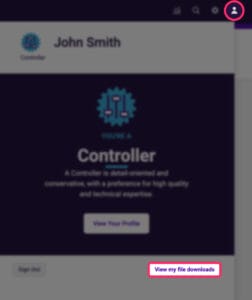
- Jobs, Teams and Prospect Cognitive Assessment Data: These items will be available for Org Admins to download as a .CSV export, which can be accessed from the global admin page. Org Admins can find the CSV under the Person under “View my file downloads.”

- Any XP survey data which partners prefer to reference must be downloaded before their upgrade data. This data will not transfer, and will not be preserved.
- Partner Legacy demo accounts will not be affected in order to allow partners to support any clients which are still on Legacy.
The new PI2 Business Account will have the same name as a partner’s existing Legacy account. [PARTNER NAME].
Partners should prepare to use folders differently in PI2 than they did in Legacy. For a full overview on folders in PI2, please visit this link.
- Employee folders: Employee folders have been deprecated, and are no longer used in PI2. To manage employee visibility, partners will need to leverage Behavioral Data Permissions, or BDP.
- Job folders: Job folders work in the same manner as they do in PI2 client accounts.
- Prospect folders: Prospect folders are a partner-only feature. All users of a firm’s Business Account can see all prospect data collected through that account. These are found in the Seller Tools functionality, and are completely separate from any folders found on the platform’s Administration page.
When a prospect becomes a client, the partner will need to:
- Create a unique folder for the new client account and move any relevant prospect BAs into it.
- Go to page 5 of this resource and follow steps 1-5 under the heading ‘PI2 Business Account to PI2 Client Account Transfer Folder Contents’.
To learn more about Seller Tools, watch this video.
When a prospect is interested to learn more about the Cognitive Assessment, Partners can showcase the functionality by reviewing cog scores and cog targets in the sample jobs provided in PI2 Demo Accounts. (There are a range of scores and fits shown in the two sample jobs.)
Prospects can view sample questions for the cognitive assessment by visiting https://cogsample.predictiveindex.com/ Note: it is not possible to send a live cognitive assessment to a prospect from PI2 Business Accounts or PI2 Demo Accounts. PI reserves this valuable proprietary assessment for hiring uses only.
- XP Survey Data: Export all Legacy survey data in order to save for future reference. This will not be transferred to the upgraded account.
- Folder Tree: Adjust any elements of the existing folder trees to start adopting a flatter folder tree structure. This will make the transition easier.
- Handraisers and Exceptions: If you want to raise your hand to upgrade your Legacy account before its scheduled date or request an exception to be upgraded later, please complete this form.
- Integrations: PI HQ has limited visibility with Legacy Business Account integrations. If you have an integration in your Legacy Business Account which you will need in your PI2 Business Account as it relates to prospecting, please let us know by emailing partnerprograms@predictiveindex.com.
Workshop participants will have a workshop account created for them automatically when they are registered for a workshop in ForceBC. The account will appear 5 days before their workshop begins, and will remain active for 14 days.
Each time a partner delivers a PI2 Workshop, they will need to manually create a new workshop demo account for themselves in order to conduct software demos using workshop case study data. This video demonstrates how a partner can go about creating a workshop demo account for themselves.
If you have any additional questions that are not answered by the documentation above, please submit a ticket in ForceBC.